


Introduction
Ever felt overwhelmed by the jargon of cybersecurity? You’re not alone. For beginners, the endless stream of acronyms VPN, MFA, DDoS can feel like a foreign language. That’s where this Cybersecurity Glossary comes in. Think of it as your pocket dictionary to navigate the online security world with confidence.
At ClickSafeTech, we’ve seen how a lack of understanding often leaves people vulnerable. That’s why we created this guide: to cut through the noise and empower you with the essentials. By the end, you’ll not only know what these terms mean but also how they apply to your digital life.
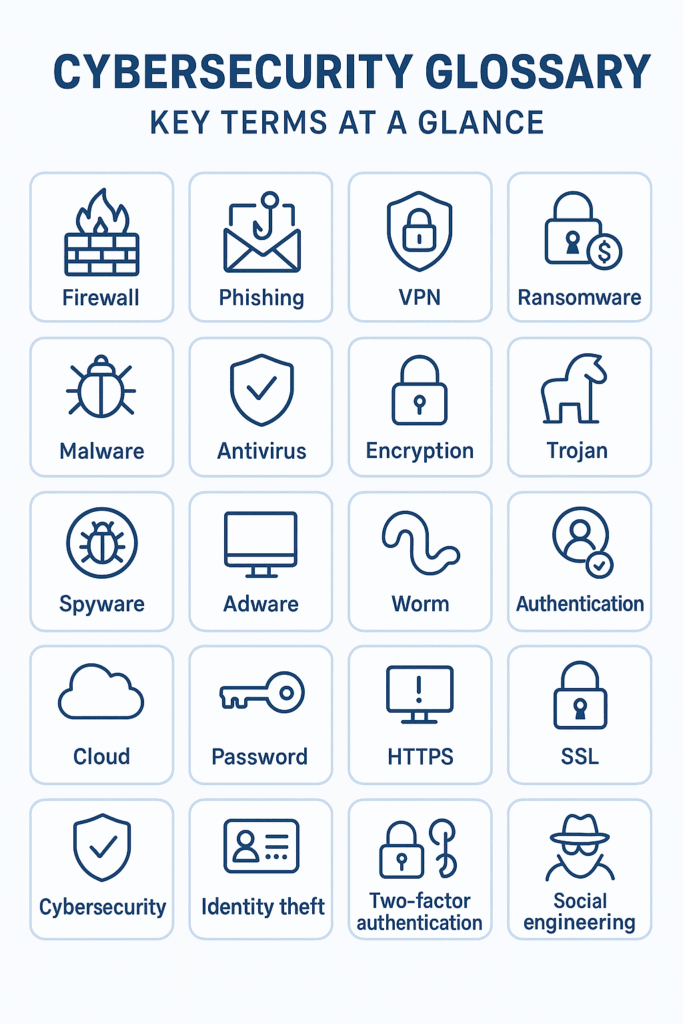
Why a Cybersecurity Glossary Matters
Cybersecurity isn’t just for IT professionals anymore. From small businesses to everyday smartphone users, everyone is a target. A glossary helps you:
- Demystify jargon: No more nodding blankly in security meetings.
- Spot red flags: Recognize scams, malware, and attacks faster.
- Stay proactive: Understand the tools and practices that protect your data.
When I started in cybersecurity, I remember confusing “phishing” with “fishing.” That small misunderstanding cost me a bank account breach. With the right terms at your fingertips, you’ll avoid similar mistakes.
Cybersecurity Glossary: 25 Essential Terms (With Basics & Real Life Examples)
Understanding cybersecurity starts with knowing the language. These 25 terms form the foundation of online safety. Each definition includes not just what the term means, but why it matters—and how it shows up in real life.
1. Antivirus Software
What it is: A protective program that scans, detects, and removes malicious software.
Why it matters: Without antivirus, even simple viruses hidden in downloads or email attachments can compromise your device.
💡 Example: Imagine downloading a “free PDF converter.” If it contains a hidden virus, your antivirus flags and deletes it before it steals your data.
2. Authentication
What it is: The process of verifying a user’s identity through credentials like passwords, fingerprints, or facial recognition.
Why it matters: Strong authentication ensures only the right people access sensitive data.
💡 Example: When you log in to your banking app with both your password and a fingerprint, you’re using multi-step authentication.
3. Backup
What it is: A copy of your important files stored separately (on a cloud service or external hard drive).
Why it matters: Backups act as insurance—if you’re hacked or your system crashes, you don’t lose everything.
💡 Example: When a ransomware attack hit hospitals in 2020, those with backups restored patient records without paying criminals.
4. Botnet
What it is: A network of hijacked devices secretly controlled by hackers.
Why it matters: Botnets are often used to launch large-scale attacks without the device owners even realizing.
💡 Example: A poorly secured home Wi-Fi router can become part of a botnet that floods government websites with fake traffic.
5. Cloud Security
What it is: Policies, controls, and tools that protect data stored on cloud platforms like Google Drive or Dropbox.
Why it matters: As businesses and individuals move data to the cloud, hackers target these services heavily.
💡 Example: A startup storing customer records on AWS relies on cloud security to prevent data leaks and unauthorized access.
6. DDoS (Distributed Denial of Service)
What it is: An attack where hackers overwhelm a server with massive fake traffic, crashing it.
Why it matters: DDoS attacks can shut down websites, costing businesses revenue and reputation.
💡 Example: In 2016, the Mirai botnet attack took Netflix and Twitter offline for hours, affecting millions of users worldwide.
7. Encryption
What it is: The process of scrambling data into unreadable code, unlocked only with a key.
Why it matters: Encryption protects your information from eavesdroppers, even if intercepted.
💡 Example: WhatsApp uses end-to-end encryption—so if someone intercepts your chat, they’ll only see gibberish.
8. Endpoint
What it is: Any device (computer, smartphone, printer, IoT gadget) connected to a network.
Why it matters: Every endpoint is a doorway hackers could exploit.
💡 Example: Hackers once broke into an office system through a vulnerable smart printer, stealing confidential data.
9. Firewall
What it is: A barrier that filters incoming and outgoing network traffic.
Why it matters: Firewalls block unauthorized access while letting safe traffic through.
💡 Example: Your office firewall may block employees from accessing suspicious websites known for malware.
10. Incident Response
What it is: A structured plan organizations use to handle and recover from cyber incidents.
Why it matters: Quick responses reduce damage, costs, and downtime.
💡 Example: When Target was hacked in 2013, a delayed response worsened the breach, exposing millions of customer details.
11. IoT (Internet of Things)
Everyday objects like smart fridges or cameras connected to the internet. Convenient but often poorly secured.
11. IoT (Internet of Things)
What it is: Everyday devices (like smart speakers, fridges, or thermostats) connected to the internet.
Why it matters: Most IoT devices lack strong security, making them easy hacker entry points.
💡 Example: A casino was hacked via its “smart” fish tank thermometer, giving attackers access to the network.
12. Malware
What it is: Malicious software designed to damage, steal, or spy on systems.
Why it matters: Malware comes in many forms (viruses, trojans, worms), making it a top online threat.
💡 Example: Clicking a fake FedEx delivery notice installs malware that secretly logs your keystrokes.
13. Man-in-the-Middle Attack
What it is: When hackers secretly intercept communication between two parties.
Why it matters: Sensitive information like logins or banking details can be stolen.
💡 Example: Logging into public Wi-Fi at a café without a VPN could let hackers snoop on your emails.
14. MFA (Multi-Factor Authentication)
What it is: A login process requiring multiple forms of verification (password + SMS code, or fingerprint).
Why it matters: MFA makes it harder for attackers to break in, even if they steal your password.
💡 Example: Your Gmail account asks for both your password and a code texted to your phone this stops hackers with only your password.
15. Patch
What it is: A software update that fixes security flaws.
Why it matters: Ignoring patches leaves doors open for attackers.
💡 Example: The infamous WannaCry ransomware spread because many organizations hadn’t applied Microsoft’s patch in time.
16. Phishing
What it is: Fraudulent attempts (emails, texts, websites) to steal sensitive information.
Why it matters: Phishing remains one of the easiest and most successful attack methods.
💡 Example: An email that looks like it’s from PayPal urging you to “verify your account” is a phishing scam.
17. Ransomware
What it is: Malware that locks files and demands payment for release.
Why it matters: It can paralyze entire businesses and critical services.
💡 Example: In 2021, the Colonial Pipeline ransomware attack disrupted fuel supply across the U.S. East Coast.
18. Red Team / Blue Team
What it is: Simulated security exercises—red team plays the attacker, blue team defends.
Why it matters: Helps organizations test and strengthen their real-world defenses.
💡 Example: Banks often run red team drills to check if employees can detect and stop fake phishing attacks.
19. Social Engineering
What it is: Manipulating people into giving up confidential data.
Why it matters: Humans are often the weakest security link.
💡 Example: A caller pretending to be IT support tricks an employee into giving their password.
20. Spyware
What it is: Software that secretly monitors your activity and collects information.
Why it matters: Spyware can capture passwords, track browsing, and steal financial data.
💡 Example: A free flashlight app from an untrusted store that secretly records everything you type.
21. Threat Intelligence
What it is: Data about current or emerging cyber threats.
Why it matters: Helps organizations predict and block attacks before they happen.
💡 Example: Businesses use threat intelligence feeds to identify phishing emails imitating banks before employees fall victim.
22. Trojan Horse
What it is: Malware disguised as a legitimate program.
Why it matters: Trojans trick users into letting them in.
💡 Example: A fake “Adobe Flash update” installs a backdoor for hackers to access your system.
23. VPN (Virtual Private Network)
What it is: A tool that encrypts your internet connection and hides your IP address.
Why it matters: Protects your privacy on unsecured networks.
💡 Example: Using a VPN in an airport prevents hackers from snooping on your work emails via public Wi-Fi.
24. Zero-Day Vulnerability
What it is: A software flaw unknown to the vendor, exploited before a fix is available.
Why it matters: Zero-days are highly dangerous since no defense exists yet.
💡 Example: In 2021, hackers exploited a zero-day in Microsoft Exchange to steal emails from global corporations.
25. Zero Trust
What it is: A security model where no user or device is trusted by default, even inside the network.
Why it matters: Prevents insider threats and lateral attacks.
💡 Example: An employee’s laptop may need to re-authenticate each time it tries to access sensitive company data.
Comparison Table: Key Cybersecurity Terms at a Glance
| Term | Simple Definition | Real-World Example |
|---|---|---|
| Antivirus | Software to block and remove malware | Norton, Bitdefender |
| Encryption | Scrambles data to protect it | WhatsApp messages |
| MFA | Requires multiple ways to prove identity | Password + fingerprint login |
| Phishing | Fake messages to steal info | “Your bank account is locked” email |
| Ransomware | Locks files until ransom is paid | WannaCry attack in 2017 |
| VPN | Hides online activity with encryption | NordVPN for secure browsing |
Practical Tips for Beginners
Knowing the terms is one thing using them is another. Here’s how to put this glossary into practice:
- Enable MFA everywhere: From Gmail to your banking app, it’s one of the easiest protections.
- Stay updated: Patching software prevents known vulnerabilities from being exploited.
- Secure IoT devices: Change default passwords on smart devices immediately.
- Learn to spot phishing: Double check email senders and links before clicking.
For step by step security guides, check our Cybersecurity Basics section.
External Resources for Deeper Learning
- CISA’s Cybersecurity Glossary – U.S. government definitions.
- Krebs on Security – A trusted journalist covering cyber threats.
- OWASP Top 10 – Key risks for web applications.
Conclusion
Understanding cybersecurity terms isn’t just academic it’s your first line of defense. With this glossary, you can confidently decode the jargon and make smarter decisions online.
Cybersecurity is a journey, and this glossary is just the start. If you’re ready to strengthen your defenses further, explore our guides and tutorials or reach out to ClickSafeTech for tailored cybersecurity solutions.
👉 What term confused you the most before reading this glossary? Share your thoughts in the comments we’d love to hear from you.


